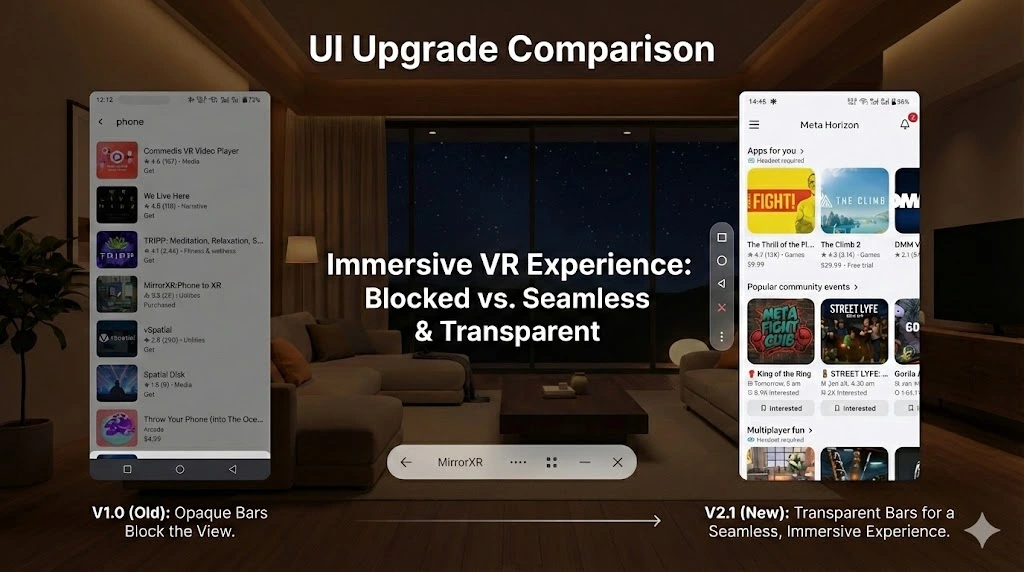
New Features
- ✦Touch Position Display - Enabled by default! See your touch points in real-time on XR screen mirroring, perfect for using your phone under covers in cold winter
- ✦Spatial Mode Navigation Bar - Brand new floating navigation bar that doesn't occupy screen space, providing a more immersive VR visual experience
- ✦Quick Feedback Channel - New ? button on the main page with built-in FAQ, direct feedback submission to developer
- ✦New Device Management Page - Redesigned device details page with reorganized options, new interactive buttons, cleaner and easier to use interface
Optimizations & Improvements
- ✦Audio & Video Experience: Improved video playback smoothness with optimized decoding and rendering
- ✦Fixed audio popping and noise when frequently switching videos
- ✦Settings Page Redesign: Removed obscure technical options, replaced with automatic smart adjustments
- ✦More user-friendly option descriptions, reducing decision fatigue
- ✦Smart Auto-Connect: Optimized USB and wireless connection logic to reduce interference
- ✦Real-time Screen Adjustment: Support window resizing during mirroring with instant response
Bug Fixes
- ✦Fixed clipboard sync failure on some devices
- ✦Fixed occasional bugs in 'Reset to Default'